Getting Started in Own A Grocery Store
First session on Own A Market: register, bananas, corn animals, workers, and the purchases that wait.
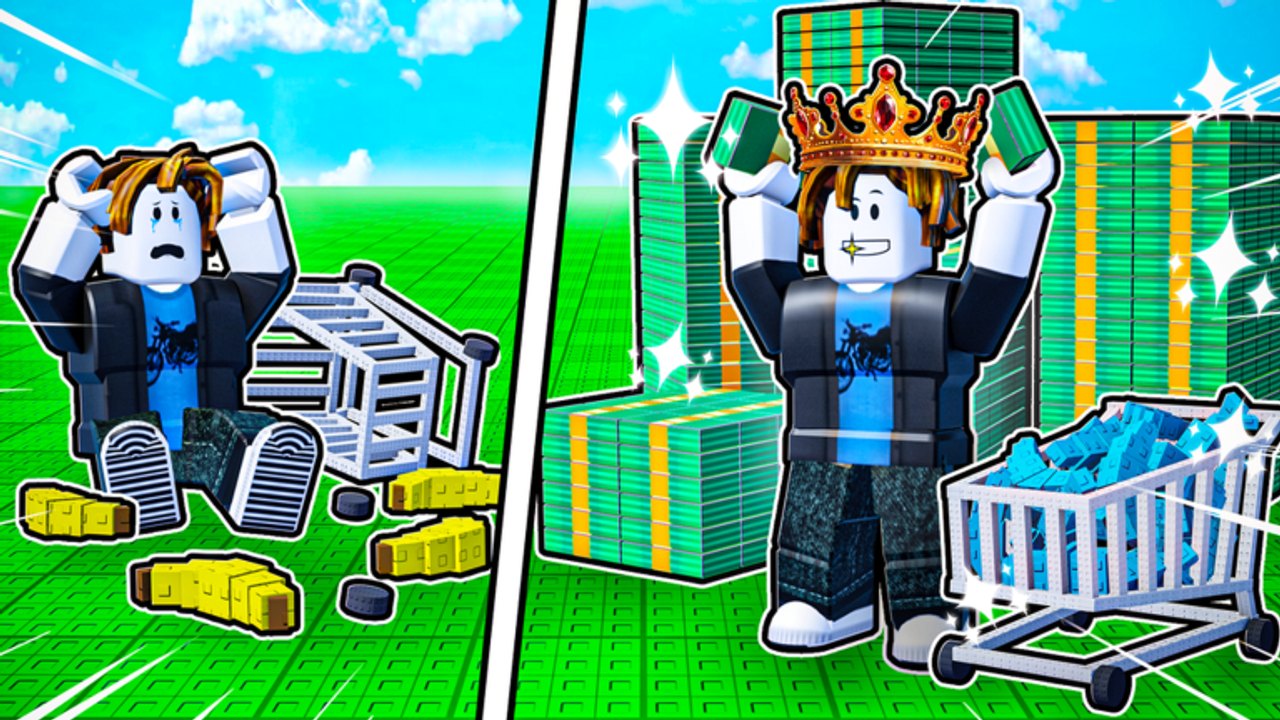
Own A Grocery Store is the fan-wiki name for Own A Market, the Roblox Simulation / Tycoon from group dev-devs. It launched on 16 January 2026, runs six-player servers, and is openly inspired by Monkey Mart. You spawn on a grocery plot attached to a small lobby, step on green (affordable) or red (too expensive) floor buttons, and turn raw produce into checkout cash. This page is the first-hour script. When you already have a humming Store 1, jump to Make Money Fast, Unlock Grocery Store 2, or the Rebirth Guide instead of rereading onboarding.
Movement, pickup, and register flow are summarized on controls. If a prompt does not match your device, check that page before assuming the tycoon is broken.
First five minutes
Claim the empty market. Buy the cash register first, then a banana shelf and the banana trees that feed it. Pick bananas, place them on the shelf, and stay near the register until the first customers pay. Cash does not appear because you own a building; it appears because a stocked shelf met a customer who reached checkout. Until that loop is automatic, ignore walls, plants, and crates.
As soon as bananas tick, buy a corn shelf and corn plots. Corn is the real tutorial: it sells on its own shelf, feeds chickens (eggs) and cows (milk), and later goes into the popcorn microwave. A store that only sells bananas will look busy and still feel poor.
Claim Daily rewards and any ready Gift the moment the HUD lights up. Join the dev-devs group and like the experience for the free-cash grant advertised on the Roblox page. Skip hunting promo codes — Codes is empty as of September 2026, and there is still no redemption UI.
Banana, corn, eggs, milk, popcorn
Build the first floor in this order unless a Gift dumps a lump of cash on you:
- Register → banana shelf → banana trees.
- Corn shelf → corn plots.
- Worker 1 so someone else carries bananas and corn.
- Chicken plus egg display (the chicken eats corn).
- Milk fridge plus cow (the cow also eats corn).
- A cashier so you are not glued to the till.
- Popcorn machine, then yogurt once milk is stable.
- Light speed and stack upgrades for you and Worker 1 — see the upgrades tier list before dumping every dollar into one stat.
Chickens and cows that are not fed do not produce. If eggs or milk stall, you do not need a new enterprise yet; you need more corn or a farmer that speeds plots. Trash cans exist because spoiled or excess holds clog your hands; drop junk, then restock the shelf that actually has a queue.
Carrot plots arrive later on floor one and sell well, but they compete with the cash you still need for workers. Unlock carrots after eggs and milk are staffed, not instead of a cashier.
Hire before you drown
You can physically run the entire first loop: harvest, stock, feed, checkout. You should not. The first worker is the best early purchase in the game because every extra trip you take is a customer waiting at an empty shelf. A cashier is the second automation spike. A farmer helps crop speed once several plots exist. You cannot fire staff, so do not hire a fourth body onto a floor that still has no product for them to carry.
Upgrade stack when you are making too many trips with one banana in hand. Upgrade speed when the worker reaches the shelf but the queue has already formed. The upgrades tier list is the ranking; this page is the timing. Do not max one worker to vanity levels while the register is still self-serve.
What the right-side HUD is for
Upgrades — spend cash on you, workers, animals, and machines (speed and stack). Rebirth — prestige that goldifies products and resets money plus progress. Do not open this to “try it” on day one; read the Rebirth Guide and the rebirth planner first. The first confirm is typically a $50,000 goldify (about +25% product value in current builds). Markets — buy Grocery Store 2 for $30,000. That is a second plot with wheat, bread, and seafood, not a floor of Store 1. Details live on Unlock Grocery Store 2.
Floor 2 of Store 1 is a $8,000 floor button, not the Markets purchase. It adds peanuts, peanut butter, beans / chocolate, almonds, a chef, and more workers. Buy it after floor one is staffed, not because the button turned green during a Gift.
Free rewards, rush hour, offline
Daily login cash and timed Gifts (cash lumps, auto-collect, extra buyers, worker speed) are the F2P injectors. Grab them on spawn and again when the timer pops. Rush hour floods the store with customers. It is strong when every shelf is full and a cashier is present; it is a traffic jam when bananas are empty and you are still feeding a cow. Use it as a payout, not a panic button.
The official description is explicit: the market earns while you are offline. That only helps if production and stocking were already automated. Logging off with one lonely banana tree is not an AFK strategy.
Servers hold six owners. Treat neighbors as parallel tycoons. If the instance is lagging, the Roblox page still recommends a free VIP server. This is online multiplayer, not local split-screen.
What not to buy yet
Decorations, extra walls, and cosmetic crates do not raise ticket size. Skip them until the production chain is staffed. Skip Grocery Store 2 until Store 1’s buttons and useful upgrades are done — the Unlock Grocery Store 2 page explains the $30k timing. Skip rebirth until you can rebuild Store 1 quickly on goldified prices; otherwise you donate a $50,000 pile back to the tutorial. Skip Robux game passes until you understand the F2P loop; they accelerate the same order, they do not replace it.
Product priority, once you have choices, is ranked on the products tier list. Early on the ranking is simple: bananas for the first customers, corn as the engine, animal products next, processed popcorn / yogurt after that, carrots when the floor is stable, floor-two specialties last.
After the first hour
You are “done” with onboarding when a cashier takes payment, at least one worker restocks, corn feeds both animals and popcorn, and cash is rising without you sprinting every crate. Next:
- Push income with Make Money Fast.
- Decide on Floor 2 versus saving toward Store 2.
- Only then plan a goldify using the Rebirth Guide.
Patch changes land on Updates. Automation tools, if you insist, are discussed with warnings on Scripts. Official group and place links sit on the wiki overview. This page stays the first-hour checklist so you do not spend that hour staring at a red Floor 2 button.
Frequently Asked Questions
Quick answers for Own A Grocery Store on Roblox.
What should I buy first in Own A Market?
Cash register, banana shelf, banana trees, then corn. Hire Worker 1 as soon as bananas and corn both need carrying. Details and the rest of the chain are in the sections above and on Make Money Fast.
Why are my chickens or cows not producing?
They eat corn. If corn plots are empty or every ear is sitting on the corn shelf, animals stall. Grow more corn or upgrade crop speed before buying another animal.
Should a new player buy Grocery Store 2?
Not in the first hour. Store 2 costs $30,000 via the Markets icon and wants its own staff. Finish Store 1 first; see Unlock Grocery Store 2.
When do I rebirth on a new account?
After Store 1 can be rebuilt quickly and you can pay the cash threshold (first goldify is typically $50,000). Read the Rebirth Guide before confirming; the reset wipes money and progress.
Where are promo codes in this game?
There is no codes box as of September 2026. Track Codes for changes, and use Daily rewards, Gifts, and the group-plus-like bonus instead.
Is this a single-player tycoon?
No. Servers hold six players in an online lobby of neighboring markets. Controls for your own plot are on controls.