Own A Grocery Store Guides Hub
First hour, Daily and Gifts, Floor 2, Grocery Store 2, and rebirth — in the order players need them.
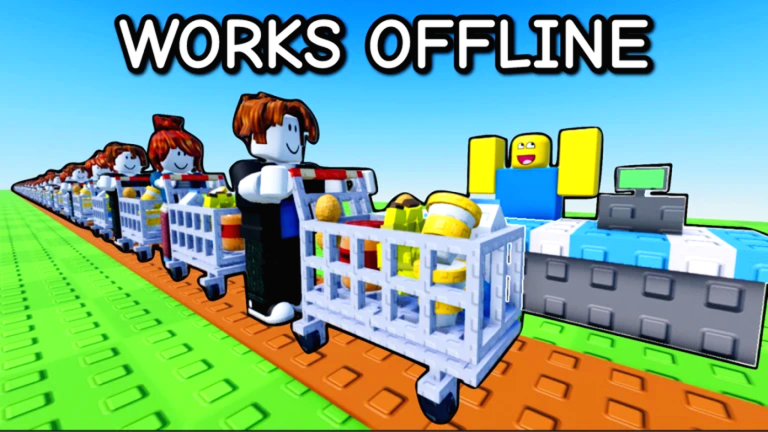
This hub is the map for Own A Grocery Store (official Roblox experience: Own A Market by group dev-devs). The game dropped on 16 January 2026 as a Simulation / Tycoon, sits on servers of six players, and has passed 30 million visits. You run grocery enterprises, stock shelves, process goods, hire workers, upgrade speed and stack, expand floors, unlock a second market, then rebirth to goldify products. Use the pages below instead of guessing which green button to step on next.
If you only open one article, start with Getting Started. That walkthrough covers the banana-to-register loop, corn animals, first hires, Daily rewards, Gifts, and the group-plus-like cash bonus. Come back here when you need a specialist page rather than another full onboarding.
Recommended reading order
Play the guides in this sequence unless you already finished the first store:
- Getting Started — spawn, cash register, bananas, corn, eggs, milk, popcorn, first worker, and what to skip.
- Daily Rewards Guide — Daily button, Gifts panel, group-plus-like cash, claim-before-rebirth habits, and why offline pay needs staffing.
- Make Money Fast — which products pay, when to raise stack versus speed, cashiers, rush hour, Gifts, and offline earnings.
- Floor 2 Guide — the ~$8,000 Store 1 upstairs unlock for peanuts, peanut butter, chef, chocolate, and almonds (not Grocery Store 2).
- Unlock Grocery Store 2 — the $30,000 Markets purchase, wheat / bread / seafood, and why buying it too early stalls Store 1.
- Rebirth Guide — goldify at $50,000, the reset of money and progress, later ruby / emerald / diamond tiers, and rebuild order.
That order matches the real bottleneck: free cash and a staffed Store 1 come before Floor 2, Floor 2 comes before a second plot, and you cannot prestige efficiently until the first market prints cash.
What each guide is for
Getting Started is the day-one script. It assumes you just joined a six-player server, claimed the empty plot attached to the lobby, and have not yet decided whether decorations or a second corn plant matter. It also points to controls so movement, pickup, and checkout are not a mystery while customers queue.
Daily Rewards Guide is the free-cash page. Claim Daily and Gifts on spawn, grab the group-plus-like bonus, clear gifts before rebirth, and remember that free VIP servers are a lag workaround — not a paid VIP game pass. Promo codes are still absent; use this page instead of idling on Codes.
Make Money Fast is the income article. Own A Market is a Monkey Mart-style loop: raw plots feed shelves and machines, customers pay at a register, and idle time is only valuable if shelves stay full. That page ranks bananas, corn, eggs, milk, yogurt, popcorn, carrots, then floor-two peanuts, chocolate, almonds, and peanut butter. It also covers rush hour (only when stocked) and the trap of buying Floor 2 at $8,000 before workers can run floor one.
Floor 2 Guide is the upstairs decision on Store 1. It separates the ~$8,000 floor button from the $30,000 Markets purchase, covers peanuts → peanut butter → chocolate / almonds staffing, and times the buy against rebirth.
Unlock Grocery Store 2 is the $30,000 decision. The Markets icon on the right of the HUD opens a second grocery with wheat, bread, seafood, and more. The wiki’s default advice is to max Store 1 upgrades and earning potential first — including Floor 2 if you want that income — then buy the second plot so you are not splitting a weak staff across two empty buildings.
Rebirth Guide is the prestige layer. Rebirth goldifies products (first tick is a 25% value bump in current builds), then later rebirths rubify, emeraldify, and diamondify them. You spend a cash threshold and lose money plus progress. Pair that page with the rebirth planner before you tap the confirm prompt on a $50,000 balance you still needed for a chef or Floor 2.
How this wiki splits the rest of the game
Guides teach how. Rankings live under the tier list hub. Use the products tier list when you are choosing which plant, animal, or machine to unlock next, and the upgrades tier list when the Upgrades panel is burning cash on stack versus speed for you, workers, cows, chickens, and machines. Those lists change the order inside a session; they do not replace the walkthroughs.
Input and HUD questions belong in Players and the dedicated controls page. Patch history sits on Updates. Automation discussion — with the usual Roblox account-risk warning — is on Scripts. Promo codes are tracked on Codes; as of September 2026 there are no active codes and no redemption UI (TechWiser confirmed). Do not stall your first hour looking for a codes button that is not in the game.
The wiki overview lists official links, group rewards, and the difference between this fan wiki’s title (Own A Grocery Store) and the Roblox place name (Own A Market). Bookmark both the overview and this hub if you bounce between mechanics and destinations.
Core loop in one paragraph
You buy enterprises off green floor buttons, produce bananas and corn, feed corn into chickens, cows, and a popcorn machine, stock shelves, take payment, hire workers so you stop sprinting every crate yourself, then spend on speed / stack, Floor 2, Grocery Store 2, and rebirth. Offline earnings continue while you are away, which makes a fully staffed store more valuable than a pretty empty one. Daily rewards and Gifts inject cash or short buffs (auto-collect, extra buyers, worker speed). Join the dev-devs group and like the experience for the free-cash grant advertised on the Roblox page.
Pitfalls these guides keep repeating
New owners buy Floor 2 or Grocery Store 2 the moment the number is visible, then watch both floors starve. Others fire a rush hour into empty banana shelves. Others rebirth with unclaimed Gifts or unspent cash that the reset deletes. Others ignore corn, then wonder why chickens and cows produce nothing. The child pages below argue the same economy from different angles so you can open the one that matches your current cash pile.
If a video helps, the beginner playthrough is embedded on Getting Started, a Floor 2 store build sits on the Floor 2 Guide, a max-store rebuild sits on the Rebirth Guide, and a full-store money run sits on Make Money Fast. One video per page, mid-article, click-to-play — not a dump of every related upload.
What this hub will not do
This page is an index, not a second copy of every walkthrough. Detailed button prices, rebuild checklists, and “should I buy Store 2 tonight?” math live on the child pages. When the developers ship a Market 2 content drop or finally add a codes box, Updates and Codes will move first; the guides will then change the buy order, not the other way around.
Play on Roblox, keep servers small (six people), and treat neighboring plots as parallel tycoons rather than PvP. If the lobby is lagging, the official description still points at a free VIP server as the lag workaround. Then come back to the guide that matches the next number on your HUD: more cash, Floor 2, Store 2, or the rebirth confirm.
Frequently Asked Questions
Quick answers for Own A Grocery Store on Roblox.
Which Own A Grocery Store guide should I read first?
Open Getting Started, then Daily Rewards and Make Money Fast. Save Floor 2, Unlock Grocery Store 2, and the Rebirth Guide until those cash gates are realistic.
Is Own A Grocery Store the same as Own A Market?
Yes. The Roblox experience is Own A Market by group dev-devs (place 117090463954607). This fan wiki brands the site Own A Grocery Store. Mechanics, rebirth, and Grocery Store 2 are the same game.
Are there working codes I should redeem before playing?
Not as of September 2026. Codes tracks the list; there is no in-game redemption UI yet. Claim Daily rewards, Gifts, and the group-plus-like cash bonus instead.
Do these guides cover scripts and exploits?
Guides stay on legitimate play. If you still want automation notes and safety warnings, use Scripts. Account risk is yours; this hub will not walk through injectors.
Where do product and upgrade rankings live?
The products tier list ranks what to stock; the upgrades tier list ranks speed versus stack. Both sit under the tier list hub.