Own A Grocery Store Own A Market Codes
No working codes right now — here is how to get free cash anyway.
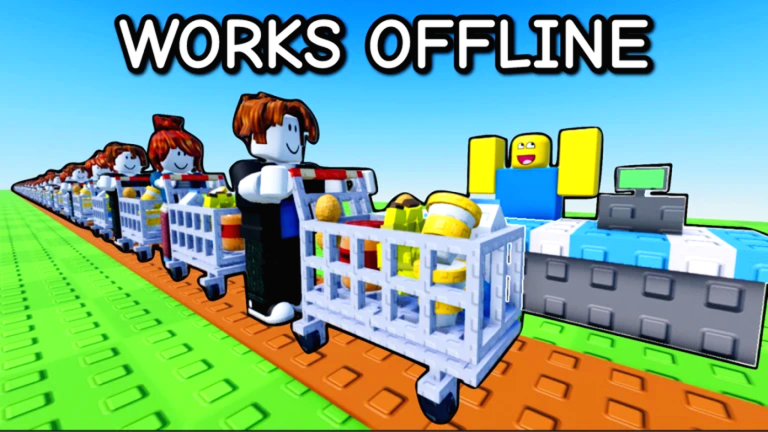
Own A Market (the Roblox tycoon this Own A Grocery Store wiki covers) does not have working promo codes as of September 2026. The developers at dev-devs have not shipped a codes button, gift-box field, or any other redemption UI. If a site, Discord ping, or YouTube description tells you to “redeem UPDATE” or “FREE1000,” there is nowhere in the live game to type it. Bookmark this Codes Hub and check Updates after patches; we will list a code the moment a real redeem flow exists.
This page is honest on purpose. Searching “Own A Market codes” is one of the highest-intent queries for a new tycoon, and stuffing fake strings wastes a session. Use the free-cash routes that already work, then spend that money on the product priority and upgrade priority lists instead of waiting on a menu that is not in the client.
Active Own A Market codes
| Code | Reward | Status |
|---|---|---|
| — | — | No active codes |
There are also no expired codes to archive. The game launched in January 2026 and still has not added a redeem path. When the first code drops, this table will show the exact string, the cash or gift it grants, and whether it is limited.
Why you cannot redeem anything yet
Most Roblox simulators add codes in one of three places: a Twitter/X bird icon, a shop tab with a text box, or a settings/gift panel. Own A Market’s right-side HUD currently exposes Markets, Upgrades, Rebirth, Daily, and Gifts. None of those screens include a code field. Tapping Gifts claims scripted login presents; it does not accept typed strings. Until that changes, every “working codes” list you see elsewhere is either for a different market tycoon or invented filler.
That does not mean the developers will never add codes. Milestone visits, a Market 2 content drop, or a like/group campaign are the usual triggers. When a redeem UI appears, typical Roblox rules will almost certainly apply: type the code exactly, watch letter case, redeem once per account, and join the group first if the prompt says so. We will write those steps here with screenshots of the real button — not a generic tutorial copied from another game.
How codes usually work (for when they arrive)
If you are new to tycoon codes, this is the flow you should expect later:
- Join Own A Market on Roblox and wait until your plot loads.
- Look for a new Codes, Twitter, or Redeem button (often near Daily / Gifts).
- Paste the code with no extra spaces. Hyphens and caps matter.
- Confirm the toast. Cash hits your balance instantly; items go to the gift inbox.
- Spend the cash on a missing worker or stack upgrade, not a decorative wall.
If a code errors with “invalid,” it is expired, mistyped, or from a different experience. If it errors with “already redeemed,” you are done for that string. Never pay Robux to a stranger who claims they can “drop codes” into your account.
Until that UI exists, skip YouTube “code lists” that recycle names from Build a Market Tycoon, Monkey Mart clones, or pizza tycoons. Those games are not Own A Market (place 117090463954607).
Free cash that actually works today
The official game description is explicit: join the group and like the game for free cash. Do both on the Roblox website or app before you grind the first banana shelf.
- Like the game. Open the experience page, hit the thumbs-up, then rejoin so the server can grant the like bonus.
- Join the group. Follow the creator group from the game page (dev-devs). Rejoin after the join succeeds; some servers only check group membership on spawn.
- Daily rewards. Claim the Daily button every login. Missing a day is a bigger loss than missing a hypothetical code. Full claim timing sits on daily rewards.
- Gifts. The Gifts panel hands out cash and short power-ups. Collect it at the start of a session before you buy buttons.
- Offline earnings. Own A Market pays while you are away. Leave shelves stocked and workers hired so the offline bag is worth opening.
- In-game workers. A cashier and restocker beat standing at the register yourself. That is the real “auto collect” the game wants you to buy.
- Paid Shop boosts (optional). If you spend Robux, read gamepasses before VIP, Double Cash, or cash packs — rebirth wipes cash-pack value.
Those six sources are how most players fund the first corn shelf, egg carton, and milk fridge. Pair them with the Getting Started loop and the make money fast checklist so the like/group bonus is not wasted on a floor you cannot staff.
What to buy with starter cash
Free cash is a multiplier only if you spend it in the right order. Early bananas and corn print money because customers spawn as soon as the first product is on a shelf. Eggs and milk add animal loops that keep running while you restock. Processed lines such as popcorn, yogurt, and peanut butter wait until workers can feed them. Do not dump a like bonus into Grocery Store 2 ($30,000) or an upstairs floor while Store 1 still has empty buttons. The upgrade priority page is the spend order; the rebirth planner tells you when goldifying products is worth the reset.
If collecting the register by hand is the bottleneck, read controls so you are not fighting the camera, then decide whether you want the auto collect cash script overview. Scripts are unofficial, can ban the account, and are never a substitute for Daily / Gifts / group cash.
Where we will announce the first code
When a redeem UI ships, it will show up in one of these places first: the Updates Hub, the Roblox game description, the group shout, or a patch note in the experience. This Codes Hub will get a dated row in the table, a redemption section with the real button name, and a warning if the code expires at a milestone. We will not list codes we have not tested against a live client.
If you are hunting a boost today, skip this empty table and go play: Getting Started, make money fast, rebirth, and unlock Store 2 are the pages that move the cash number.
Related hubs
- Scripts Hub — auto collect and auto farm notes, with ban warnings.
- Tier List Hub — what to stock and upgrade after you claim Daily.
- Updates Hub — patch tracker; codes will land here the same day they go live.
Frequently Asked Questions
Quick answers for Own A Grocery Store on Roblox.
Are there any working Own A Market codes right now?
No. As of September 2026 there are no active promo codes, and the live game still has no redemption UI. Check this Codes Hub after updates.
How do I redeem a code in Own A Market?
You cannot yet. There is no Codes button, gift-box field, or settings redeem box. When the developers add one, we will document the exact taps here.
How do I get free cash without codes?
Like the game, join the creator group, claim Daily rewards and Gifts, then hire workers so offline earnings keep paying. The make money fast guide covers the spend order.
Will codes be added in a Market 2 update?
Maybe, but nothing is confirmed. Watch the Updates Hub and the official Roblox description. Do not trust leaked strings until a redeem field exists.
I saw codes for a different grocery tycoon. Do they work here?
No. Own A Market is place 117090463954607 by dev-devs. Codes from Monkey Mart clones, pizza tycoons, or Build a Market Tycoon will not credit this experience.